

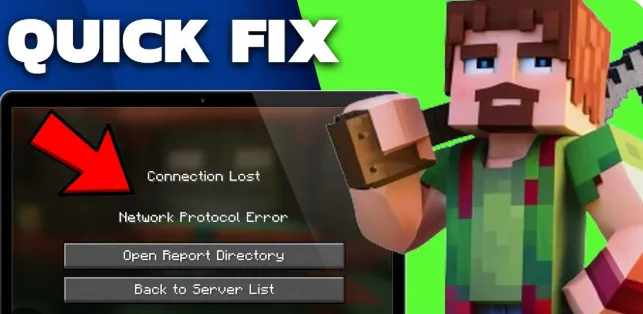
Nothing kills a match like a frozen screen. You were about to win, then the dreaded spinning circle shows up. Lag and dropped connections hit everyone, even players on a fast plan. A site such as Ik 7 can’t fix your router, but a few smart habits can.
Most connection errors have simple causes. The trick is knowing where to look first. This guide lists six quick fixes to try before you give up and throw the phone across the room. Start with the easy ones. Work your way down slowly.
Restart Your Router and Device
It sounds too easy, yet it solves more problems than anything else. Routers get tired. Memory fills up, and signals get muddled. Unplug yours for thirty seconds, then plug it back in and wait a full minute.
Restart your phone or computer too. Close the game completely first, not just minimize it. A fresh start clears small glitches that build up over days. Do this weekly, and you may avoid half your errors without trying anything fancier.
Move Closer or Use Cable
Walls, floors and even fish tanks weaken Wi-Fi. If your signal bars are low, step closer to the router. Often that single move turns a jumpy match into a smooth one.
A cable is better still. Wired connections are steadier and faster than wireless ones, which is why serious players love them. If your device supports it, try a simple adapter and a cable. Nobody enjoys a tangled floor, but a stable match is worth it.
Close Apps Eating Your Bandwidth
Other apps quietly use your internet. Video streaming, cloud backups and big downloads can all slow a match. Check what is running before you start playing, and pause anything that is not needed.
Family members matter too. If someone watches a movie in the next room, your ping may suffer. Ask them to wait or play at a different time. Before you launch an Ik7 game or any online match, a quick check of active devices can save you a lot of trouble.
Check Server Status and Updates
Sometimes the problem is not yours at all. Game servers go down for repairs or get overloaded during busy hours. Visit the official page or social account for status news before you start changing settings.
Updates matter as well. An old game version may refuse to connect. Check for updates on your device, and install system updates too. If a server is simply busy, take a break and try again in twenty minutes. Patience beats panic.
Change DNS and Network Settings
DNS works like a phone book for the internet. A slow one can delay every connection. Switching to a public DNS service, such as Google or Cloudflare, often improves speed. Your device settings usually have a spot for it.
Try switching between Wi-Fi and mobile data to test things. If one works and the other fails, you know where the trouble lives. Resetting network settings is a last step, so note your passwords first. Change one thing at a time to learn what helped.
Know When to Call Your Provider
If nothing works, the issue may sit with your internet provider. Run a speed test at different times of day. Write down the results. Steady drops or very low speeds are worth reporting.
Call support with your notes ready. Clear details help them solve it faster. Ask about outages in your area too. If problems continue, you may want to compare other plans. A reliable connection is the base of good online play.
Finally keep track of what solutions worked best for future reference. Saving a quick note on your phone with your DNS settings, provider contact number and basic reset steps saves time later. Troubleshooting is much easier when you follow a steady routine instead of guessing under stress.
Conclusion
Connection errors are annoying, but most have easy answers. Restart your gear, improve your signal, free up bandwidth, check servers and tweak your settings. If all else fails, talk to your provider with proof in hand.
For more gaming tips, visit Ik7s.net.in and explore when you have time. Keep a calm head the next time a match freezes. Fix the simple things first, and you will be back in the game before long.